How does loom improve knowledge transfer across teams?
Loom is great for quick video updates — but recordings alone don't build lasting knowledge transfer. Here's how teams pair Loom with structure, accountability, and tracking to make videos actually stick.
Loom is now a staple of remote work. More than 30 million people use Loom every month, across over 200,000 companies, to explain work, share updates, and reduce meetings across distributed teams.
For many teams, that shift was a game-changer.
Recording explanations became fast. Sharing context took seconds. Knowledge finally felt easier to capture, especially across time zones.
But capturing knowledge isn’t the same as transferring it.
A large number of Loom videos never get watched all the way through. Others are opened once, then buried in Slack threads, inboxes, or old Confluence pages. The video exists, but the knowledge doesn’t always move beyond the moment it was shared.
This is where teams feel the disconnect.
Async video improved communication speed, but it didn’t fully solve knowledge transfer across teams. As organizations grow, explanations need to stay useful, findable, and reusable, not just recorded.
That’s the gap this article explores.
In this article, we’ll cover:
- How Loom fits into modern team communication
- Where video excels and where it falls short
- How teams move from one-off explanations to repeatable learning
- What changes when knowledge becomes structured and trackable
- How video becomes part of a system that scales
But first, let’s define what knowledge sharing actually means.
What is knowledge sharing?
Knowledge sharing is the process of moving expertise from one person to many, without losing meaning along the way.
Most teams already do this every day:
- A message in Slack
- A quick email
- A Loom video explaining how something works
It’s informal, fast, and usually well-intentioned.
The problem isn’t creating content. It’s what happens after.
Once that message is sent or that Loom is recorded, the knowledge often stalls. It lives in a thread, a folder, or a single video link. Useful in the moment. Hard to reuse later.
Tools like Loom changed asynchronous communication for the better. They made it easier to explain, show, and add context without meetings. But they weren’t designed to turn those explanations into knowledge that lasts.
This is where course creation tools like Coassemble come in. Not to replace your communication stack, but to transform video explanations into interactive training that scales. Loom helps you explain. Coassemble helps that explanation stick.
True knowledge sharing means information stays clear, findable, and useful long after it’s first shared.
How to use Loom to improve knowledge transfer across teams
For many teams, Loom is useful for explaining work without meetings.
It makes it easy to record short video messages in a few clicks and explain work visually. That speed helps teams communicate without meetings and work across time zones.
But better communication doesn’t automatically lead to better knowledge transfer.
Teams that improve knowledge transfer treat Loom as a starting point, not the end result. They decide what’s worth recording, where those videos live, and how people are expected to use them later.
That starts with choosing the right content.
Decide the content
The strongest Loom videos focus on moments where clear visuals matter. That usually means complex processes, walkthroughs of important systems, or explanations that don’t translate well into written guides.
High-impact Looms tend to:
- Stick to the key points, without filler words
- Address questions many teams ask, not one-off requests
- Support scaling knowledge, instead of repeating the same explanation
Used this way, creating videos helps teams share knowledge once and reuse it across new hires and growing teams.
Strategize sharing
How a Loom is shared matters as much as what’s inside it.
A video link dropped into Slack solves a problem today. It doesn’t help much three months from now.
That usually means making a few deliberate choices:
- Decide where each Loom should live: Shared workspaces, Confluence pages, or alongside related training content work better than scattered links.
- Share where your team already works: Slack, email, or internal tools beat creating a new place no one checks.
- Make videos easy to find later: Clear titles, consistent naming, and logical grouping mean no more hunting. Discoverability improves when videos use clear titles, including AI-generated titles that reflect what the video actually covers.
- Treat Looms as evergreen video content: A strong explanation should support new team members and growing teams without constant re-recording.
Thoughtful sharing turns loom videos into knowledge people can return to, not just watch once and forget.
Build accountability and tracking
A view count doesn’t tell you much.
Someone may press play, skim through, or drop off halfway. That doesn’t mean the message landed. Teams that want to improve knowledge transfer look beyond clicks and focus on outcomes.
Accountability starts by asking better questions:
- Who actually watched the video end-to-end
- Which key points were understood
- Where people got stuck or needed clarification
Without this visibility, Loom videos stay passive. Helpful, but hard to measure.
To make Loom for knowledge sharing work at scale, teams need ways to:
- Confirm understanding, not just exposure
- Create feedback loops for asynchronous feedback
- Connect videos to real-world applications
This is where many teams feel the gap. Loom helps deliver information fast. It doesn’t help you track learning or see how knowledge gets used after the video ends.
That’s the signal teams notice when video becomes a core part of training, not just communication.
Types of videos you can create with Loom
Loom works best when videos are created with a clear purpose. Not every recording needs polish. The value comes from matching the format to the job the video needs to do.
Here are common ways many teams use Loom to support knowledge sharing and day-to-day work.
Onboarding and training
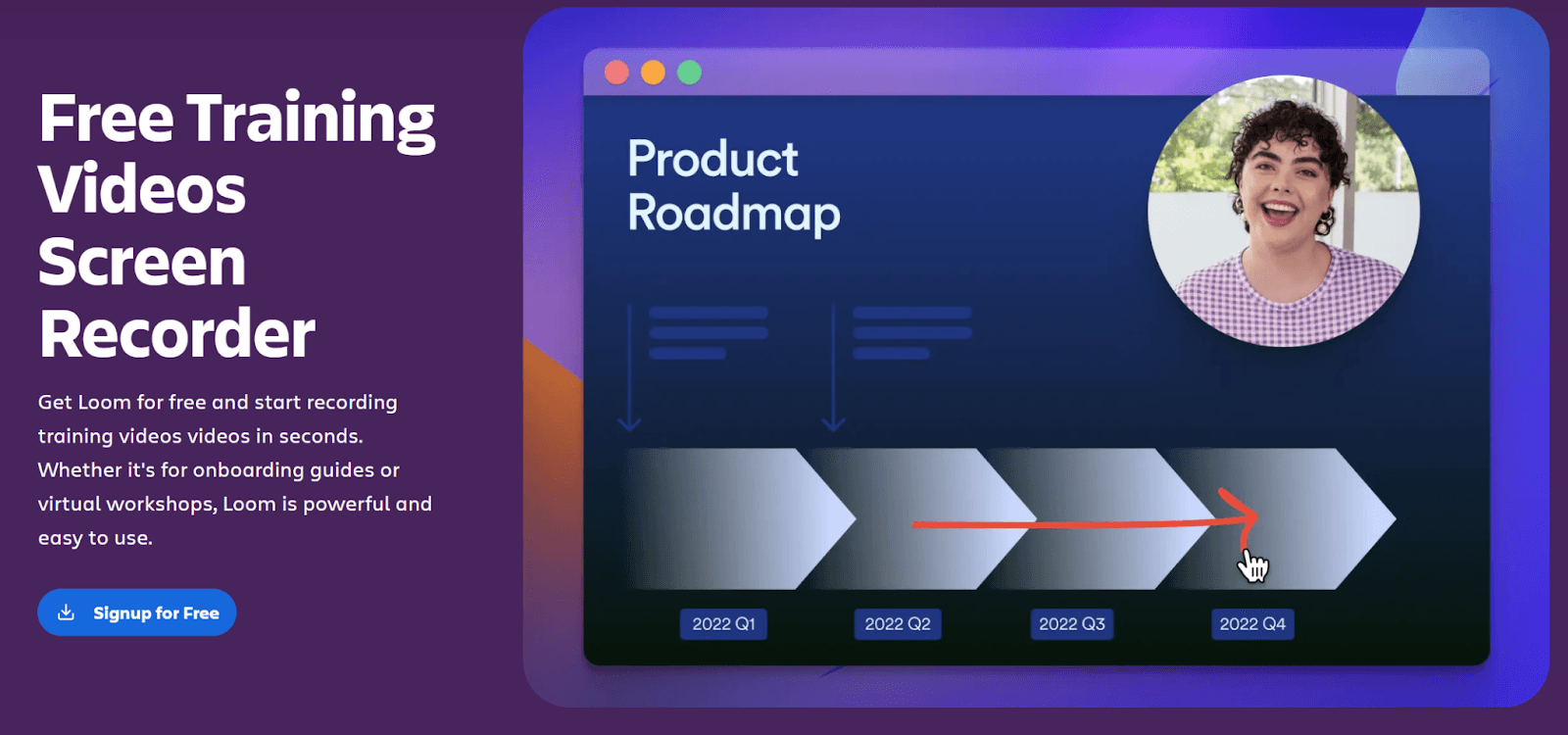
These videos help new hires get oriented without pulling time from others.
- Welcome messages from leadership
- Team introductions and role overviews
- Training videos for tools, policies, or workflows
- Early-stage tech onboarding walkthroughs
They give new employees context fast, without long meetings.
Sharing tool workflows
Some explanations are easier to show than write.
- Screen recordings of internal tools
- Step-by-step guides for important systems
- Walkthroughs for updates after UI changes
These Loom videos rely on clear visuals to explain complex processes with less confusion.
Asynchronous updates
Not every update needs a meeting.
- Sprint reviews and progress updates
- Project handovers across time zones
- Announcements that don’t need discussion
This keeps teams aligned while respecting everyone’s collective team time.
Visual feedback
Loom is useful when feedback benefits from context.
- Design walkthroughs and mockups
- Code explanations or annotated reviews
- Sharing feedback with screen and voice
Visual cues reduce back-and-forth and clarify intent.
Process documentation
Some knowledge needs to stick around.
- Recording SOPs and recurring workflows
- Demonstrating “how we do things here”
- Creating compelling video content teams can reuse
These videos support scaling knowledge without repeating the same explanation.
How to embed Loom in interactive training and courses
If you’re new to Coassemble, this guide covers how to get started and set up your first course: How to create an online course for free
Here's how teams transform their Loom recordings into structured, trackable training with Coassemble.
- Once you have created your first course in your Coassemble sandbox, go to your dashboard.
- Open the course you’re working on and click Add screen > Video.
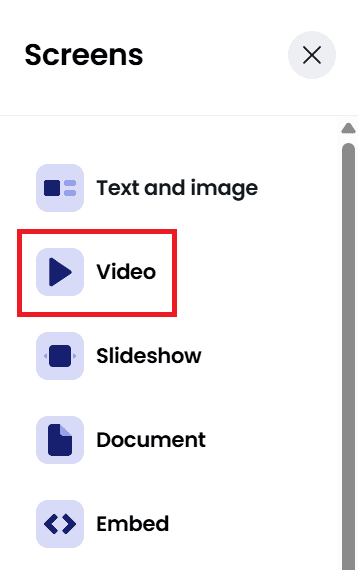
- Select Replace video to open the add video modal.
- Choose Record a video. The Loom integration works best in Google Chrome.

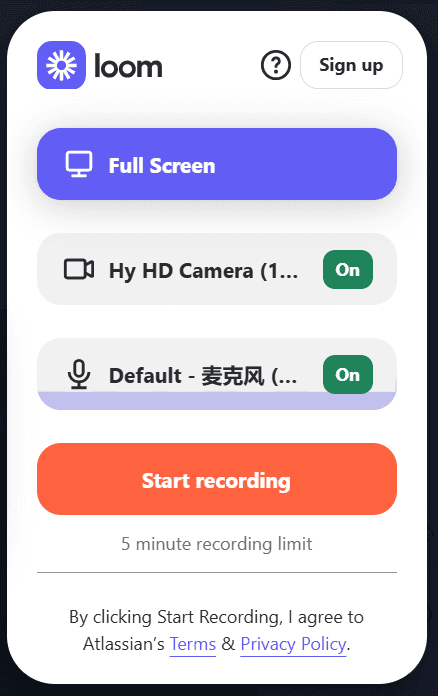
- Allow camera and microphone access when prompted.
- Click Start recording, choose the window or tab you want to share, and begin recording.
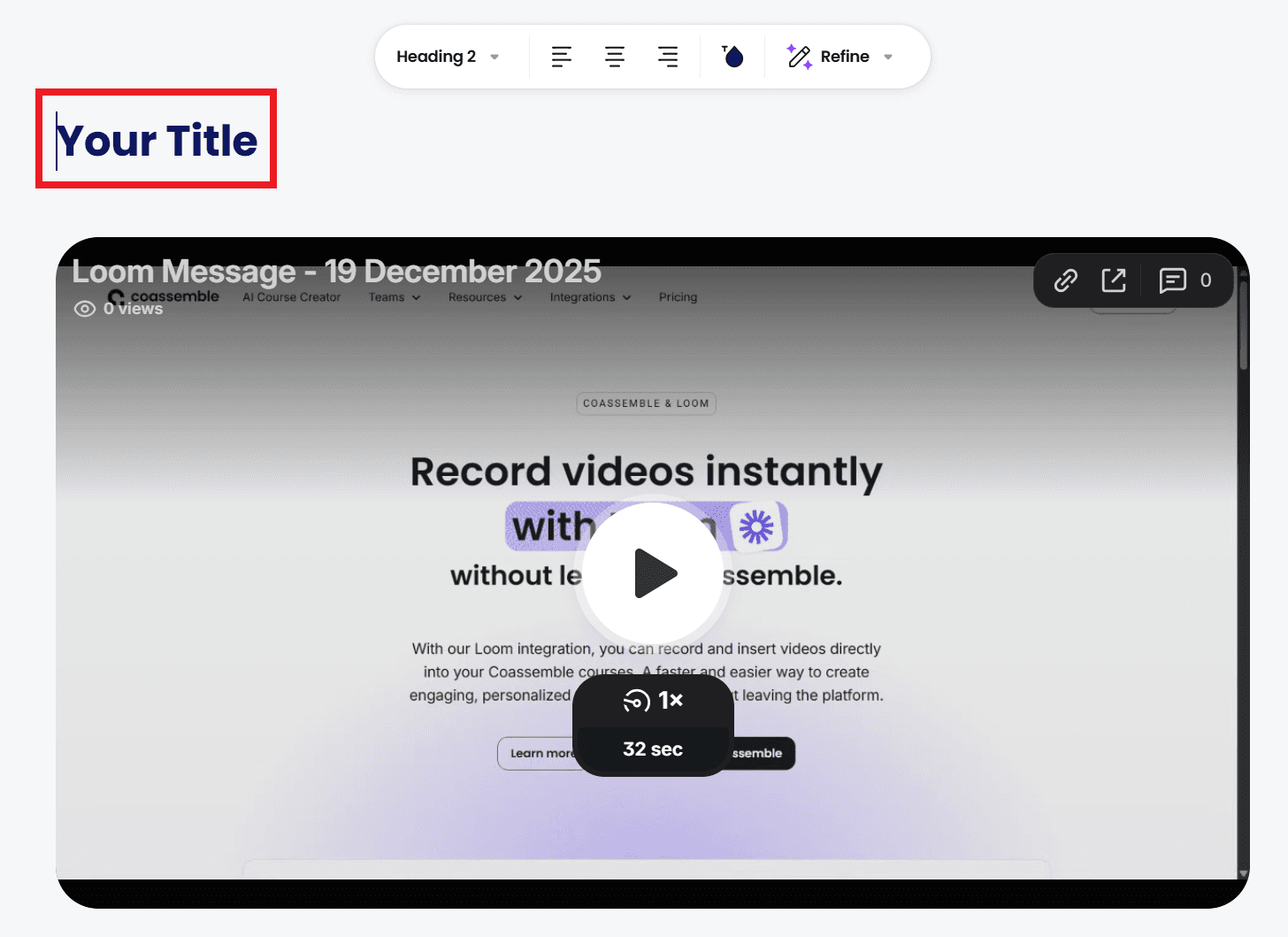
- Stop the recording, review it, and insert the video directly into your course.You can also copy the Loom link at this stage if needed.

- Add a clear title and short description so viewers understand the key points.
- Pair the video with short explanations or checks to confirm understanding and track learning. Adding context and structure helps keep video content evergreen, even as processes change.
- Click Share to send the course with the Loom recording to your team. You can drop a course link on Slack or email. No LMS login required.
- Track what actually matters:
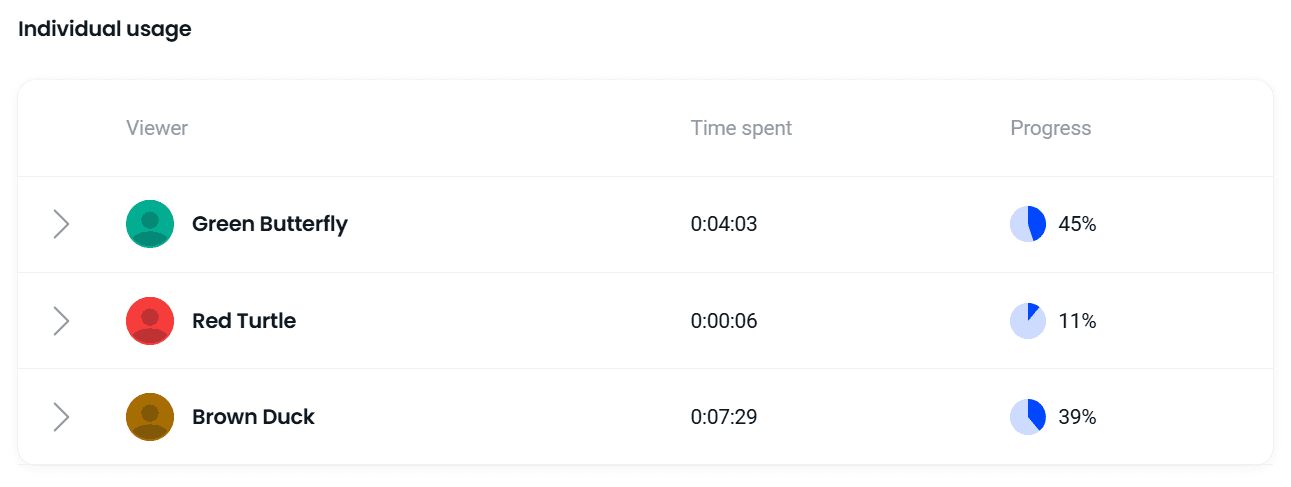
- See who completed the training and where learners slow down
- Identify sections that cause confusion based on replays or drop-offs. You’ll have a clear view of progress, including completions and understanding checks, so it’s easy to see what’s working and what needs adjusting.
- Re-record or update videos as processes change, without rebuilding the course.
This keeps Loom videos fast to create, easy to update, and part of a structured learning culture that scales.
Wrapping up
Loom changed how teams communicate. It made it easier to explain work, share context, and avoid extra meetings.
But knowledge management and transfer need more than speed. With the right structure in place, teams spend less time repeating explanations and more time learning together, making it easier to build engaged teams as they grow.
Videos need structure to stay useful. They need to support new hires, evolving processes, and growing teams without constant re-recording.
That’s why the strongest setups combine tools. Loom keeps creating videos fast. Coassemble adds structure, accountability, and visibility into what actually lands. Not as a replacement for an LMS, but as a way to help knowledge move across the tools teams already use.
Your team already has the knowledge. The next step is turning it into learning that lasts.
FAQs about how Loom improves knowledge transfer across teams
How would you encourage knowledge sharing within a team?
Make it easy to share, easy to find, and easy to reuse. Encourage people to capture explanations once, then give that content a clear home so others can actually use it later.
What is the most effective way to transfer knowledge and skills in the workplace?
Use a mix of formats. Video helps with clarity and context, while structure, checkpoints, and tracking ensure people understand and apply what they’ve learned.
How does Loom help with knowledge sharing?
Loom makes it fast to explain work visually. Teams use it to record walkthroughs, updates, and feedback without meetings, especially across time zones.
Does Loom work with Coassemble?
Yes. Loom videos can be recorded directly inside Coassemble and added to courses, making it easier to turn video explanations into structured, trackable training.
Keep reading
Should we build our own learning infrastructure or buy a headless solution?
Build if learning delivery is core to your product and you have sustained engineering capacity. Buy a headless solution if you need training live inside your product within weeks — and want your team focused on your actual product. Here's how to decide.
Which Learning Platforms Support AI Agents or MCP?
Nearly half of software companies now use MCP in production. Most learning platforms haven't caught up — ask one to enroll a new hire and it can't respond, because it's built for a person clicking a login screen, not a tool an agent can call. Here's what MCP actually means for training infrastructure, and how to tell which platforms are ready.
Best White-Label LMS for Embedding in My Platform
Most 'best white-label LMS' lists rank the same thing: logo swaps, custom domains, branded certificates. That's fine if you're rebranding someone else's delivery platform. It's the wrong checklist if you're a technical lead trying to embed course creation inside a product you're already building. Here's what to check instead.